How to customize sort order in SMARTElectrode burnsheet and export
In this blog post, you will learn more about the sort order of electrodes in burnsheet and how to customize the order in export.
Note: These enhancements are available since SMARTElectrode 12.0.5.0 and 13.0.1.0.
Sort order in Burnsheet User Interface
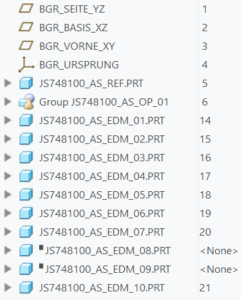
Electrodes are sorted by feature sequence number in Burnsheet UI by default. This is also default sort order for any output. Suppressed electrodes are skipped in the list and also in output. In addition also incomplete or disabled models are skipped in output.
| Model Tree | Burnsheet |
 |
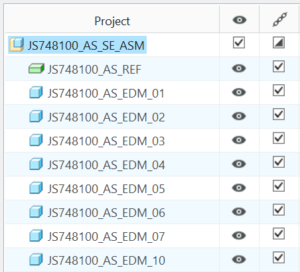 |
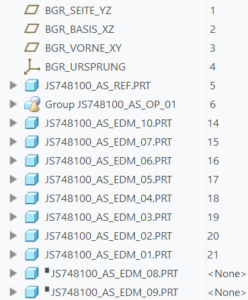
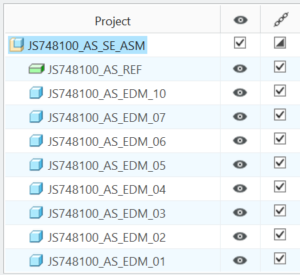
The order can be changed simply by the user by drag’n’drop in the model tree. The first appearance of an electrode in model tree determines its position in burnsheet.
| Model Tree | Burnsheet |
 |
 |
Customize sort order in
Some interfaces require a special sorting order. This can be defined in the associated configuration file. The configuration file ‘export.cfg’ is located in <configuration>\export\<type>\export.cfg or <configuration>\processor\<type>\pp\export.cfg.
Usage
The specification of two new options is permitted here:
- Option SE_ORDER_BY followed by value.
Defines parameter by parameter name or default.
Parameter name can be found in column ‘Name’, default can be found in the last column ‘Default’ in parameter configuration.

- Option SE_SORT_ORDER followed by value.
- ASC / ASCENDING for ascending sort order
- DESC / DESCENDING for descending sort order
Additional conditions:
- Sorting works for string, double and integer parameters
- Use only for parameters saved to electrode part model!
Example
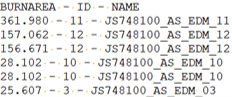
The task is to sort the electrodes in descending order by effective burn area. Both setups deliver the same result:
| Options | Result in text file |

|
 |

We hope that you like the new features and that they will make your work easier. If you have any experience with the new functionality, please feel free to share it with us. We are also happy to receive further ideas for improvement, as we are constantly working on optimizing our software for you. Please feel free to give us feedback.
This could be interesting for you
-
New Creo Version available
-

Review: PTC/USER 2026
-

Fachkonferenz Digitalisierung 2026 in Stuttgart
-

Join us at PTC/USER Global Summit 2026
-
Review: User Meeting – Toolmaking in Creo 2025
-

Future of B&W has begun
-

No security alert of B&W License Server 11.19.1.0 regarding lmadmin
-
Potential issues in running B&W Software products in Creo 9.0 and 10.0
-

Meet us at the PTC/USER Global Summit 2024 in Orlando!
-
User Event Tooling 2023
-

Successful Windchill implementation project
-
New Versionen for Expert Moldbase Extension 19.4.2.0, 18.4.5.1, 17.0.9.2, and 16.0.11.4 available!
-
SMARTElectrode 19.4 for Creo Parametric 13 now available
-
New SMARTElectrode Versions released
-
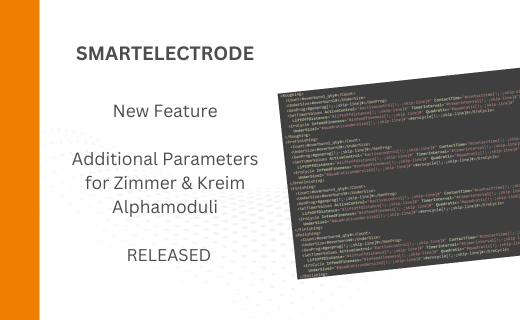
Technology Parameters for Interface to Zimmer & Kreim Alphamoduli
-
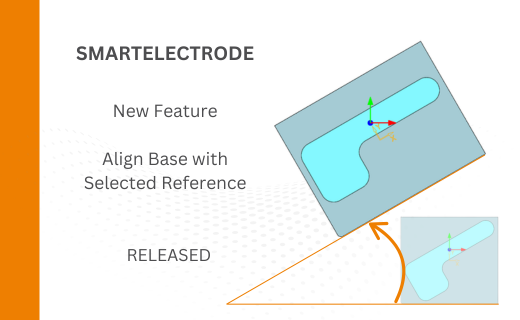
Align Base with Selected Surface
-
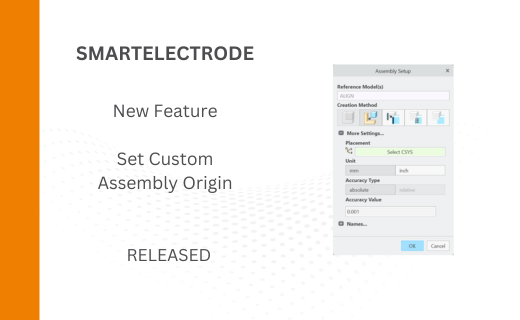
New Electrode Assembly with Custom Origin
-
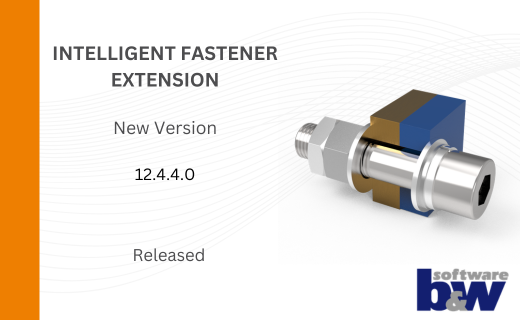
New Version for IFX out now!
-
Additional Washer and Nut for IFX
-
New Logging Options
-
Improved translation of library files in IFX